Capture the visit.
Record in Facet to create a transcript. Use the recorded conversation as the source for documentation, rather than reconstructing every detail after the appointment.

Dental notes
Facet turns a visit transcript into a draft using the templates and instructions your practice chooses. You review the note before it becomes part of the record.
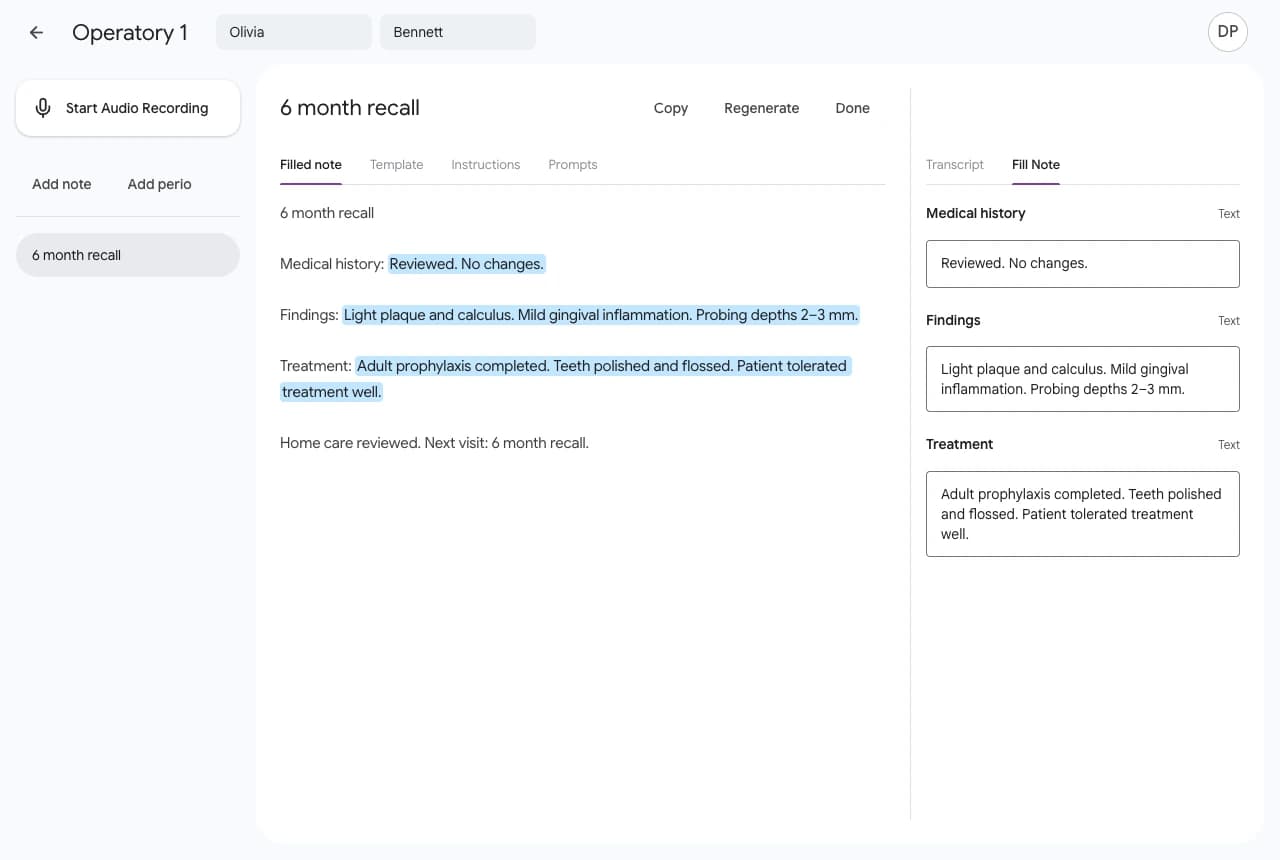
Start from the appointment, record the conversation, and keep the transcript available while you work on the note.
Record in Facet to create a transcript. Use the recorded conversation as the source for documentation, rather than reconstructing every detail after the appointment.
Drafts remain editable. Check details, make corrections, and use your clinical judgment before approving the documentation. AI output can be incomplete or incorrect.
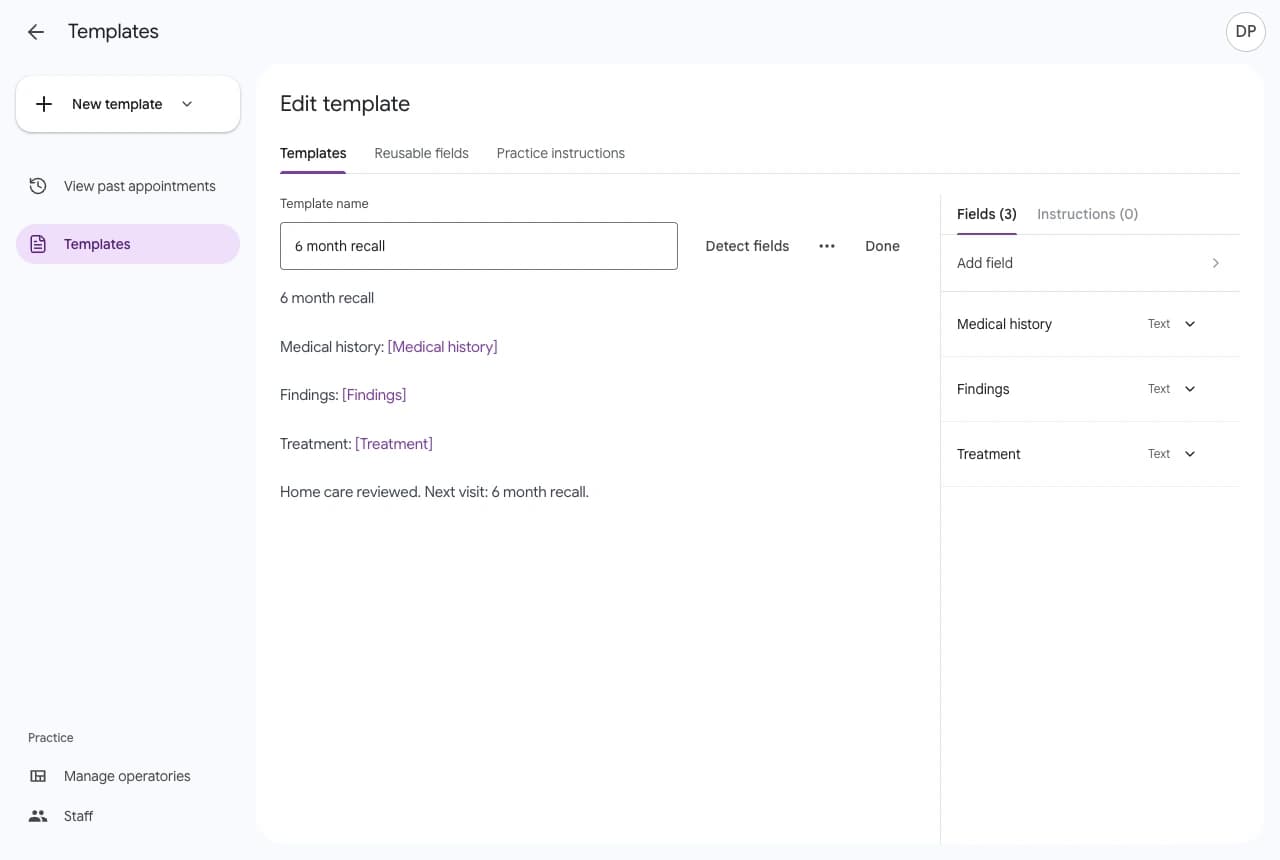
Write a format or import an existing document. Reusable fields and practice instructions help define the information and wording your team wants.
Copy reviewed notes into your practice’s record system. Connected Open Dental practices can send supported notes from an imported appointment with an attached procedure.
Our partnersBring a sample template without patient information to the demo. We can walk through the structure, the review workflow, and how it fits your team.